IMPORTANT: This site is planned to be decommissioned in 2026. Visit the Tanium Resource Center for all Tanium release notes, user guides, and support information. To view release notes in the Resource Center, see Tanium Release Notes.
IMPORTANT: If you are using semi-annual releases for on premises, see the Release notes for 2024H1 semiannual release, Release notes for 2024H2 semiannual release, or Release notes for 2025H1 semiannual release on the Tanium Resource Center.
Effective October 15, 2024: On prem release notes on the Tanium Knowledge Base are frozen. For release notes related to 7.4 or 7.5 Server and Solutions, see the Monthly updates for Tanium Version 7.4 and 7.5 Server and Solutions on the Tanium Resource Center.
Release Notes Interact (Version 2.1)
Tanium Interact Version 2.1.5.0002
Release Date: May 14, 2020
Enhancements
- Complete environment visibility by providing access to collected offline endpoints results in ad hoc and saved questions. Offline endpoint cached sensor results operate in the same manner as live results and are filterable, constrained by RBAC, and limited to the computer group access of the user.
- By default, Interact collects results for key sensors in the Core Content and Default Content content packs, and any sensors that are used to define membership in computer management groups.
- Administrators and users with RBAC permissions can register additional sensors for automatic collection.
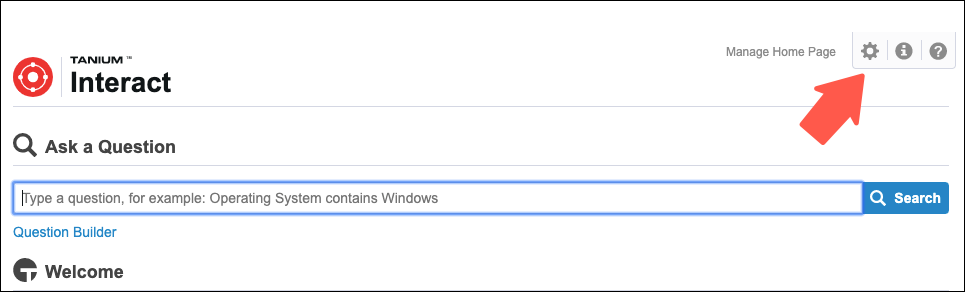
- To register sensors for collection, go to the Interact Home page and click Settings
 .
.
- Tanium Connect 4.14 or later includes a new Tanium Data Service source that provides access to Interact 2.1 collected results. [Connect Version 4.14.0 release notes]
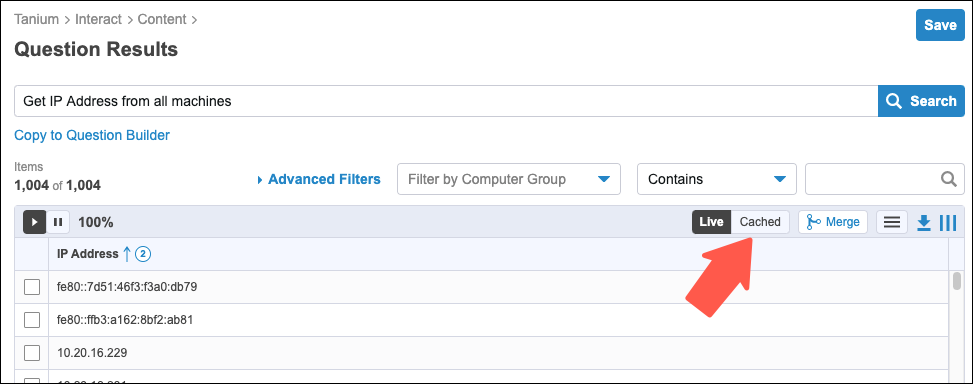
- To view collected results, click the Cached button above the results grid for any dynamic or saved question that consists of sensors that are registered for collection. Cached results are not available if the question uses any sensors that are not registered for collection.
- The user interface has been completely rewritten to focus on an improved user experience and performance.


Known Issues
- When viewing cached data, you cannot combine advanced filters with the filters applied to the questions for selected sensors.
- In some instances, when filtering on a sensor in a question with multiple sensors selected, the cached data excludes endpoints that do not match the sensor filter.
- Advanced filters on the Count column do not currently apply to cached data.
- When setting the service account, Interact does not check for the required permissions. This results in data not being collected if the account does not have the correct permissions. To avoid this, set the service account to a user with the Administrator reserved role or the Data Collection Service Account role.
- In an Active-Active (HA) cluster the service credentials can revert back to the previous instance if the credentials are only set on one server. Set the credentials on both Tanium Server Interact workbenches to resolve this issue.
- The data service uses Computer Serial Number along with Computer ID and Computer Name to uniquely identify an endpoint. If Computer Serial Number fails to return a value, the endpoint and its results are not included in the cached results. This is an issue in some virtualized environments such as Proxmox and AWS. If you encounter this issue, contact your TAM to resolve it by choosing a different identifier or submitting an improvement for the Computer Serial Number sensor.
- Features not available in this release:
- Asset tooltip integration
- Keyboard shortcut Alt-click to copy a cell value
- Clear column sorting
- Copy all results to clipboard
Feature Changes
The following feature changes apply to the Interact Question Results page:
- The Create Ad Hoc Filters option in the Filter by Computer Group drop-down is not available. Filters can be applied in the Question Builder or Ask a Question field.
- The option to view results as a pie or bar chart has been removed.
- Half-width saved question tiles are no longer an option for Interact dashboard results.
- Filters can no longer be applied from column headers. The same filtering can be applied using the Advanced Filters control.
Installation Notes
- Interact 2.1 is available in Tanium Core Platform 7.4 or later. Unlike previous versions, Interact 2.1 is not automatically imported when you initially log into the Tanium Console.
- Use the Tanium Solutions page to install Interact 2.1: click the Install with Recommended Configurations button and select the Apply Tanium recommended configurations check box to install Interact with default settings.
- Interact 2.1 uses a service account to periodically collect results for specific sensors. When you select the Apply Tanium recommended configurations check box, the service account is set to the account that you used to import the module. To manually configure a service account for Interact, clear the check box.
Requirements
- Tanium Core Platform 7.4 or later.
- For Windows deployments, make sure the Tanium Module Server adheres to the sizing guidelines listed at [Core Platform Deployment Guide for Windows: Tanium Module Server host system].
- For Windows deployments, host-based firewalls and antivirus detection applications must allow (do not block, quarantine, or otherwise process) the <Module Server installation folder>\services\tanium-data-service\TaniumDataService.exe process.